Clock & Calendar System for RPG Maker MZ & MV
Clock & Calendar System is a plug-and-play timekeeping solution for RPG Maker MZ and MV. It adds a fully automated in-game clock, day cycle, and seasonal calendar to your game world with no scripting or setup required. Whether you're building a farming sim, a story-driven RPG, or just want your world to feel dynamic and alive, this plugin handles time progression, day-night transitions, and seasonal changes effortlessly.
Features
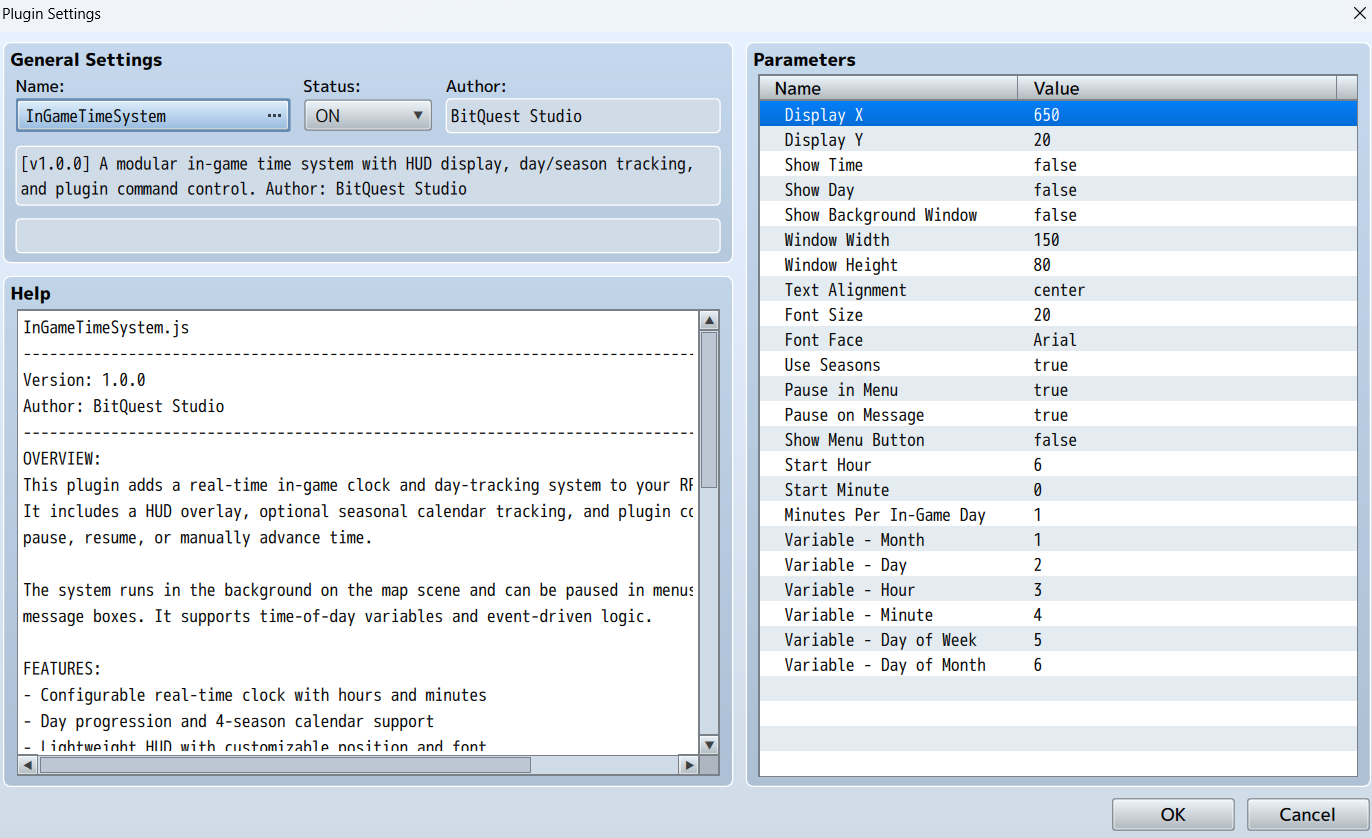
- Real-time clock with adjustable speed (hours and minutes)
- Automatic day-night cycle with customizable map tinting
- Built-in calendar system with weekday, day, month, and optional seasons
- Time pauses automatically during menus and dialogue scenes
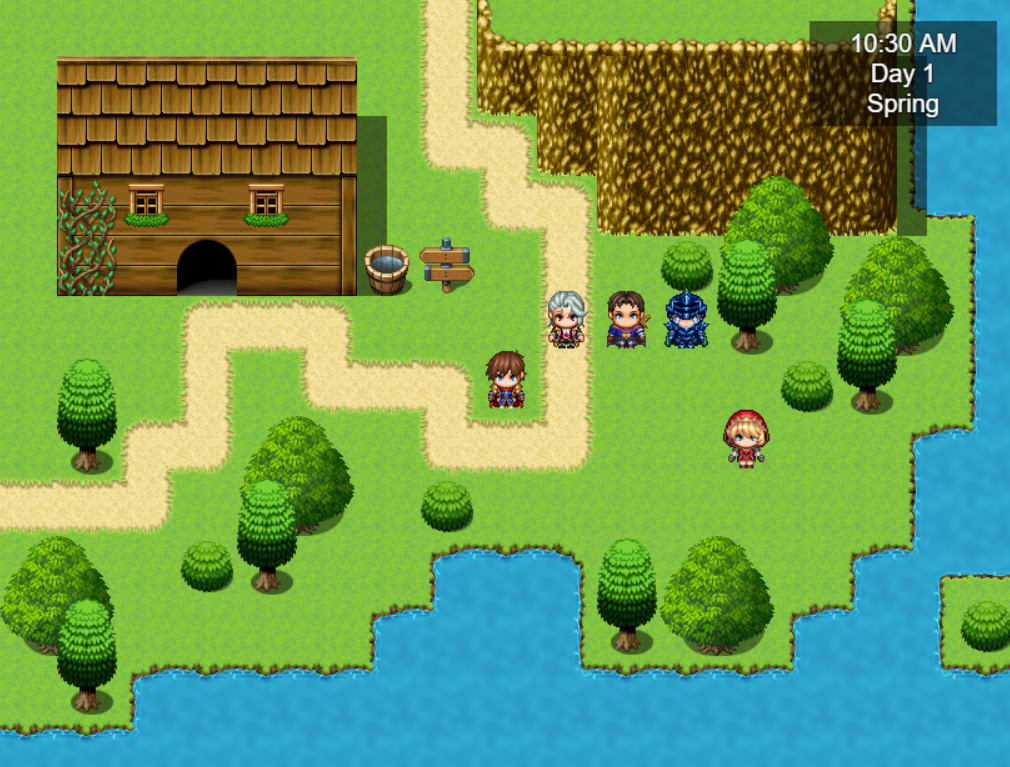
- Lightweight HUD displays current time, day, and season with optional background
- Sync time values to game variables for time-aware events and systems
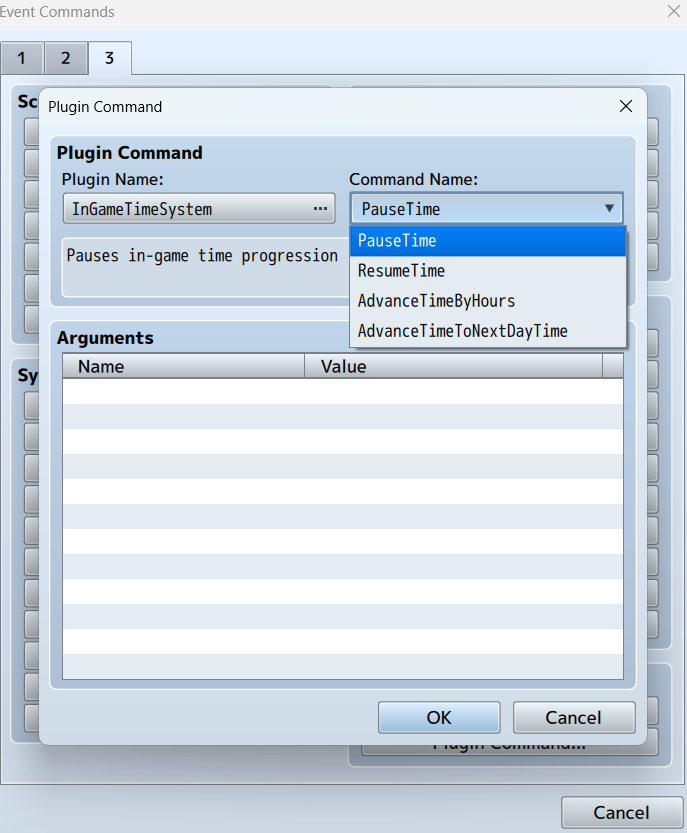
- Plugin commands to pause, resume, or advance time manually
- No dependencies or frameworks required—works out of the box
- Supports farming sims, story-driven games, overworlds, dating sims, and survival mechanics
Terms of Use
- Once purchased, the plugin can be used in both commercial and non-commercial projects.
- Modification allowed for personal or project-specific use (must retain original metadata)
- Redistribution is not allowed—do not re-upload or resell
- Credit is appreciated but not required
Purchase
Get this tool and 10 more for $74.99 USD
In order to download this tool you must purchase it at or above the minimum price of $9.99 USD. You will get access to the following files:
Development log
- Version 1.0.3: Small Font PatchOct 12, 2025
- InGameTimeSystem v1.0.2 - New HUD Control FeaturesOct 02, 2025
- Clock & Calendar System now supports RPG Maker MVAug 08, 2025
- Changelog v1.0.1Aug 02, 2025
- New Feature: Day/Night Cycle with Sunrise & SunsetJul 12, 2025
Comments
Log in with itch.io to leave a comment.
Hey! Before buying this, I just wanted to ask a question: does the plugin support real-time clock synced to the player's device? For example, the player's pc clock?
It does not.
Is there a way to flat-out disable the plugin from running entirely? I got a opening scene I am trying to do and the auto tinting and stuff is messing with it. I have tried pausing the time system but it still must be running long enough to process the tinting. I want to use it, I'd just like to only have it starting after a specific flag is on.
I've added commands to the MZ version to disable/enable HUD and tint.
A question, does this plugin allow me to customize events and NCPs depending on the time the clock/plugin is in? Also, I would like to know if one is able to change the opacity of the time and the rest of the data, whenever one wants, you see in my game there are scenes that are animated, so to speak, and they take up a large part of the screen and it would look strange to see the clock in those scenes. Can I hide the clock at will or does it not have that feature?
Opacity is customizable in the parameters. The HUD cannot currently be hidden.
Customizing events and NPCs depending on the time is totally doable and the plugin is designed to accommodate this. The time is saved in a variable so you can do whatever you wish to based on the time.
This does not seem to save the time or tint on save and load, anything I'm suppose to add to make it save properly?
Thank you for sharing. I took a look and there was a bug preventing the saved variable values from being displayed in load games. I've applied a patch. Please update to the new version and it will work.
Works excellent now after testing, thanks for the fast fix