Ambient Birds for RPG Maker MZ
A downloadable tool
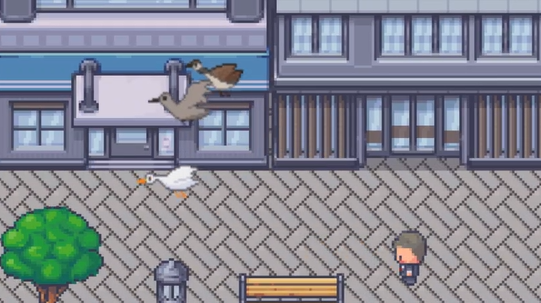
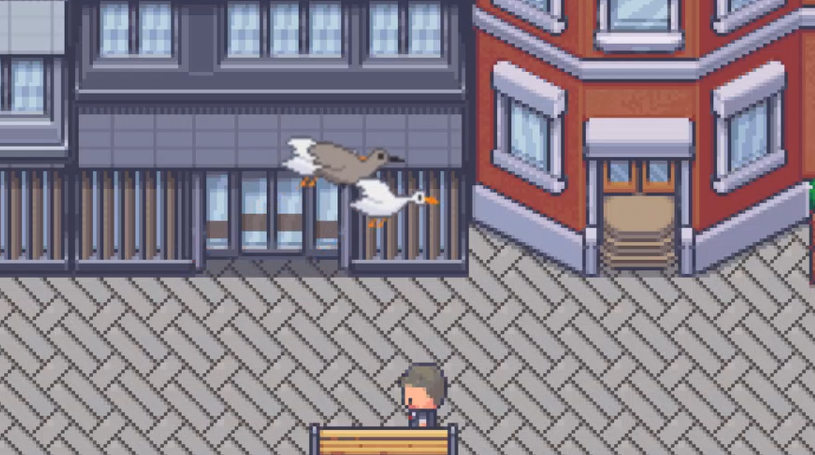
Bring your maps to life with dynamic, animated birds that fly across the screen, land naturally, and scatter when the player gets too close.
Ambient Birds is a lightweight, highly configurable wildlife system for RPG Maker MZ. With no eventing required, you can add believable sky movement and environmental detail to any outdoor map in minutes.
What It Does
-
Birds spawn along map edges and fly diagonally across the scene
-
Random landing on marked region tiles
-
Ground idle behavior with adjustable timing
-
Reactive fleeing when the player approaches
-
Optional 2–3 bird packs for natural flock behavior
-
Adjustable altitude, bobbing, scale, and speed
-
Per-map configuration and spawn control
-
AI update throttling for performance
Designed for Performance
-
Bird counts capped per map
-
AI updates run on an adjustable interval
-
Smart spawning and cleanup off-screen
Even larger maps stay smooth.
Flexible Animation Support
Use your existing assets:
-
One-image-per-frame animation sets
-
Standard character sheets
-
Full sprite sheets with custom rows and columns
-
Optional flip-on-left for single-direction art
You can mix multiple bird templates with weighted spawn chances and optional switch-based activation.
Perfect For
-
Forests and fields
-
Villages and farms
-
Coastal areas
-
Peaceful overworld maps
-
Any outdoor scene that feels a little too static
Terms of Use
- Once purchased, the plugin can be used in both commercial and non-commercial projects.
- Modification allowed for personal or project-specific use (must retain original metadata)
- Redistribution is not allowed: do not re-upload or resell
- Credit is appreciated but not required
Purchase
In order to download this tool you must purchase it at or above the minimum price of $14.99 USD. You will get access to the following files:
Development log
Leave a comment
Log in with itch.io to leave a comment.